These web pages describe my station’s construction and operation. They also include some personal reviews, recommendations, and links to relevant information. I try to offer some insight into the research and planning stages of the station build.
Check back for updates to what’s going on here in the shack. I’m always building or improving something related to Amateur Radio, and I’ll post my findings here, in the event others may be interested.
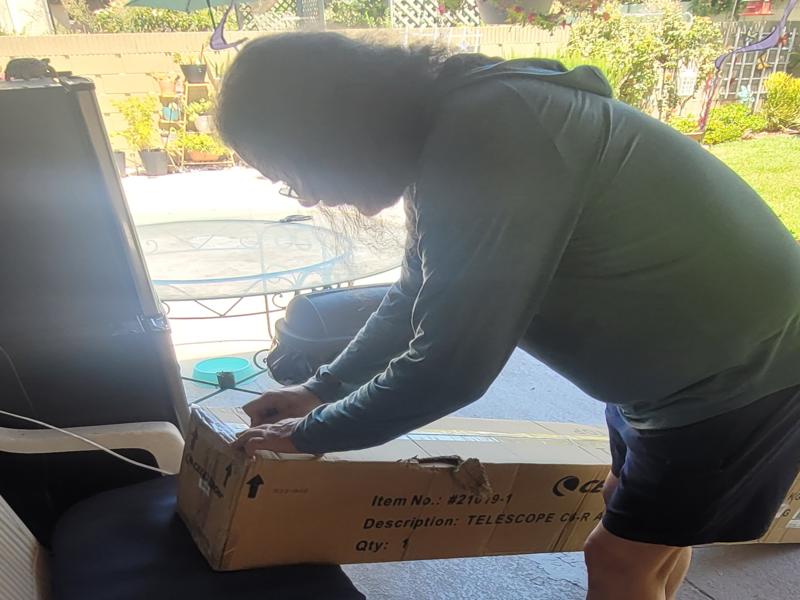
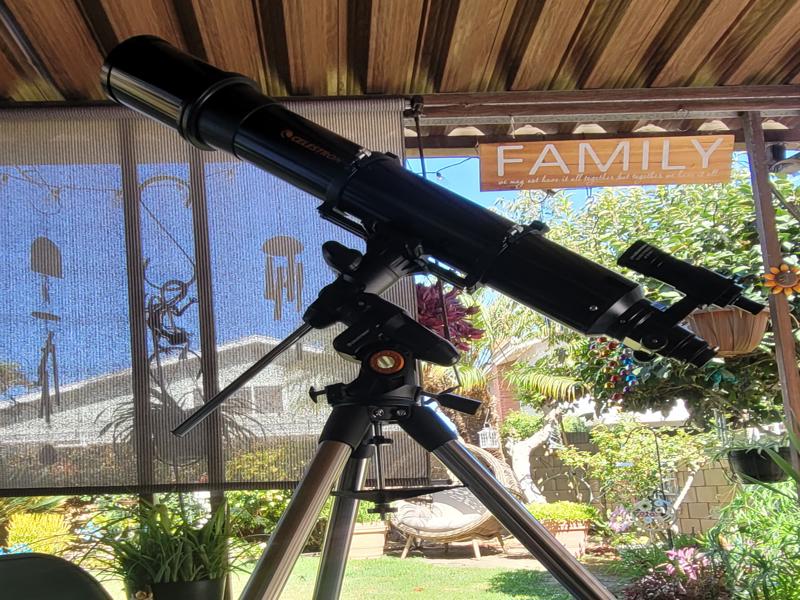
What’s better to do on a hot summer day than unboxing a new telescope! My friend Robby stopped by today with his new Celestron Advanced VX 6″ Refractor Telescope. We kicked back in the shade on my back porch, busted out some cold Iced Tea, and got to work assembling this cool new toy.
It came with all the bells and whistles. Fully Computer Controlled.
The last detail was adding the counter weights, then we were ready to go!
Astro Photography
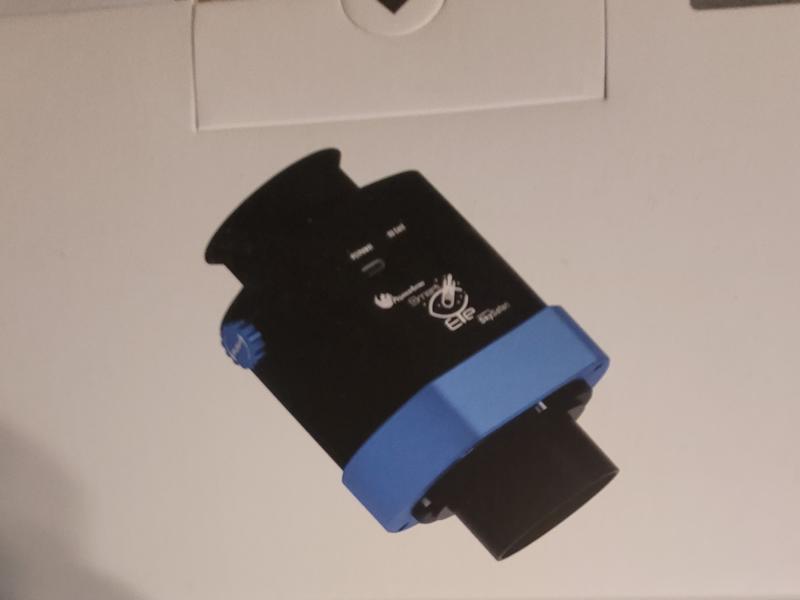
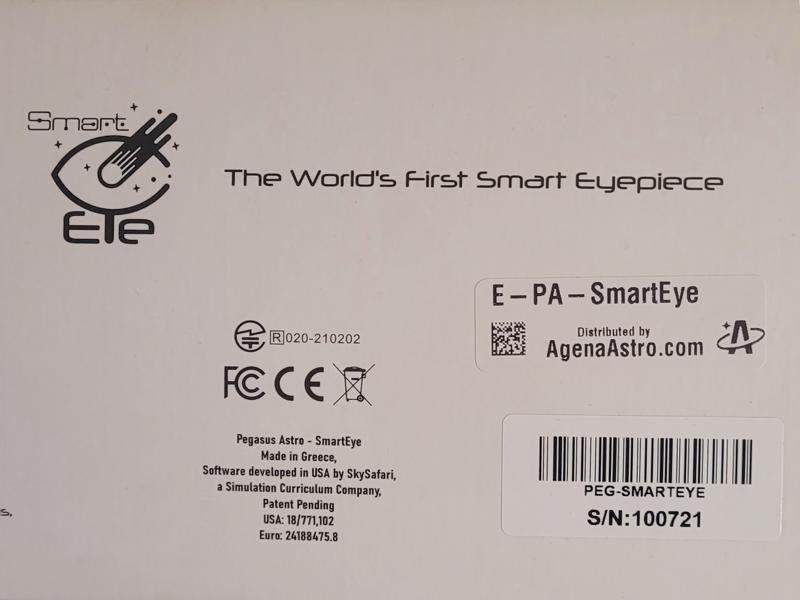
Once the telescope is complete, we will be adding the Pegasus Astro Smart Eye 2″ eyepiece. The most amazing eyepiece we’ve ever seen! This new technology has the ability to stack the captured images, creating amazingly detailed views of the universe.
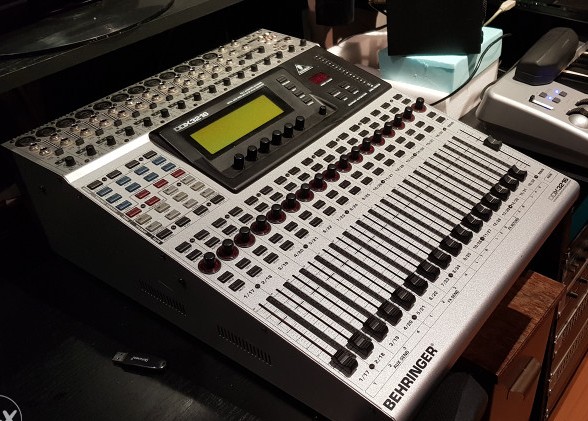
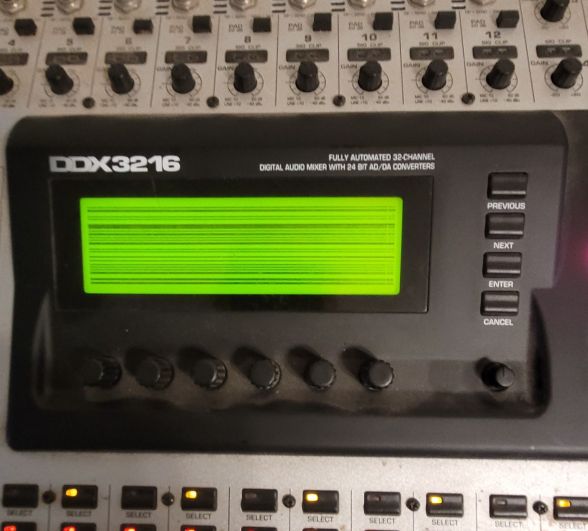
The Behringer DDX3216 is a fully automated 32 input, 16 buss digtal mixing console, complete with motorized faders, and built-in digital effects processing. Like many of these units, the display contrast has failed, rendering the display screen unreadable. In addition to the failed display, this unit also has a power supply problem which causes the mixer to be completely unresponsive and unusable.
These are two very common and well documented problems with DDX3216 mixers. The display circuit develops this problem over time as the capacitors on the display board begin to fail. Rather than testing to find the failed capacitor(s), I will replace all 5 of them, rather than replacing one each time another cap fails.
DDX3216: Complete Failure Mode
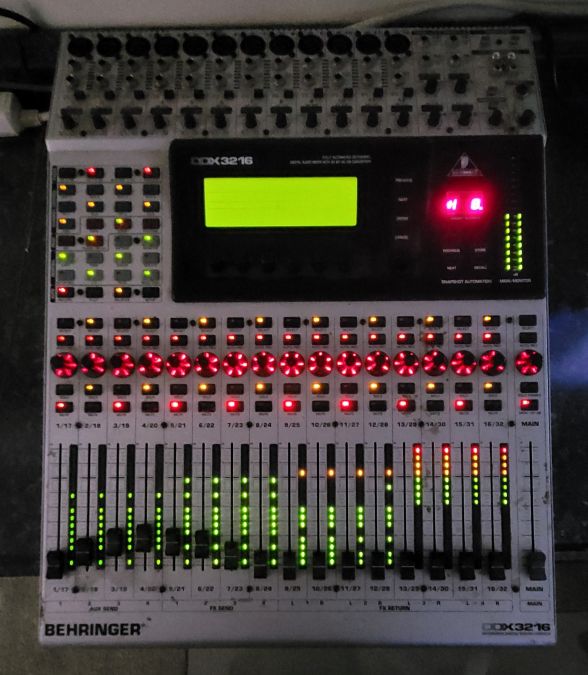
When powered on the 3216 lights up like a Christmas Tree! FAILURE MODE
When powered up, most of the LED’s light up and the mixer is completely unresponsive. This is indicative of a power supply failure, also attributed to failed capacitors.
Disassembly
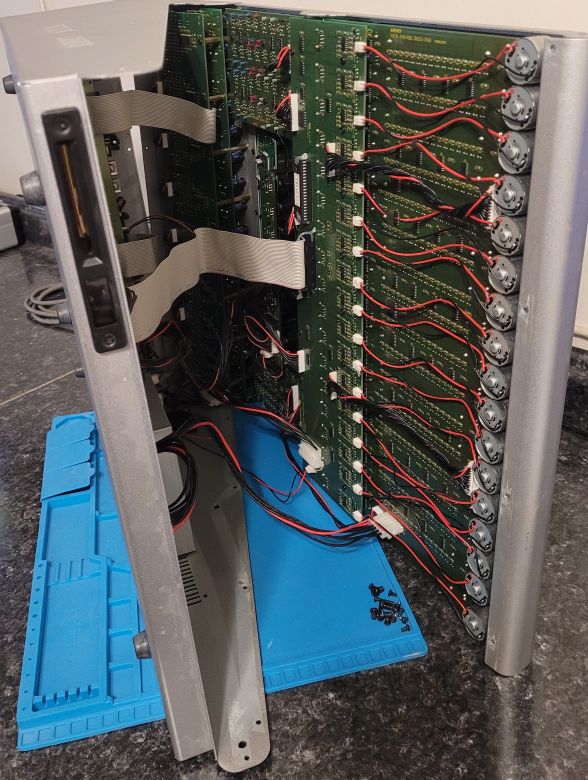
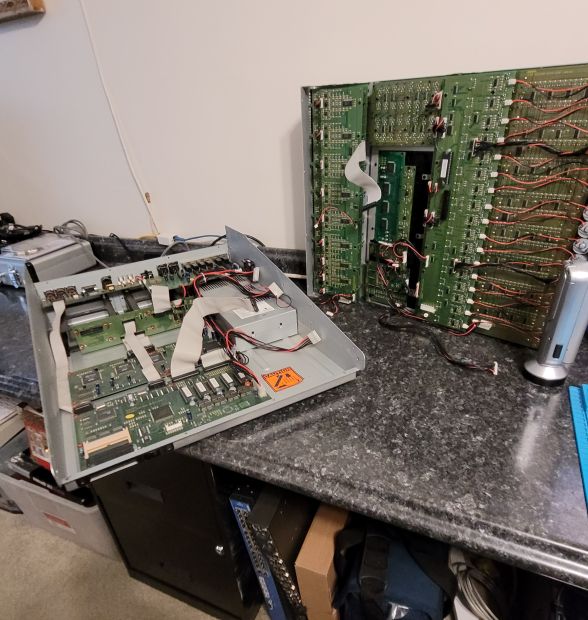
Disassembly was straightforward, removing some 30+ screws from the back, front, and sides of the mixer case. During disassembly caution must be taken when separating the top and bottom sections, as there are a number of short interconnect cables between the circuit boards mounted to the top and bottom sections. Pulling the two sections apart in haste would undoubtably damage the cable connectors. Once inside, I noticed all the cables were hot glued to their respective sockets! Luckily, over time, the glue became dried out enough that I was able to remove the glue fairly easily and without causing any damage.
Interconnecting cables were hot glued to their socketsFirst step of disassembly complete
Display Board Fix
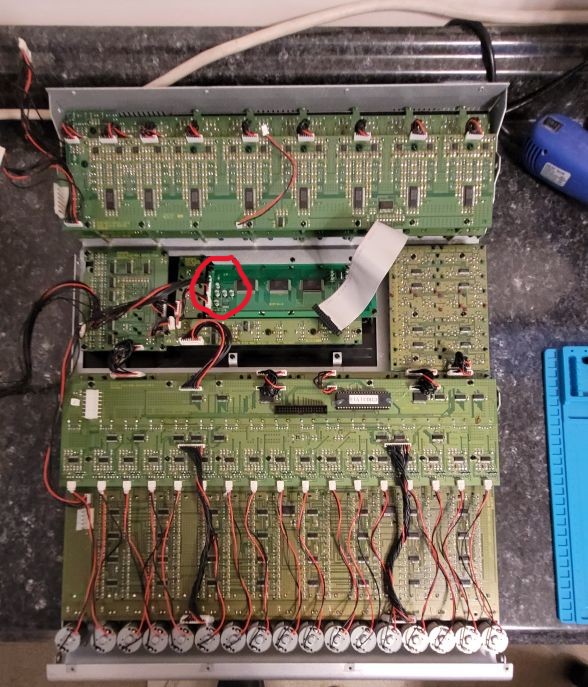
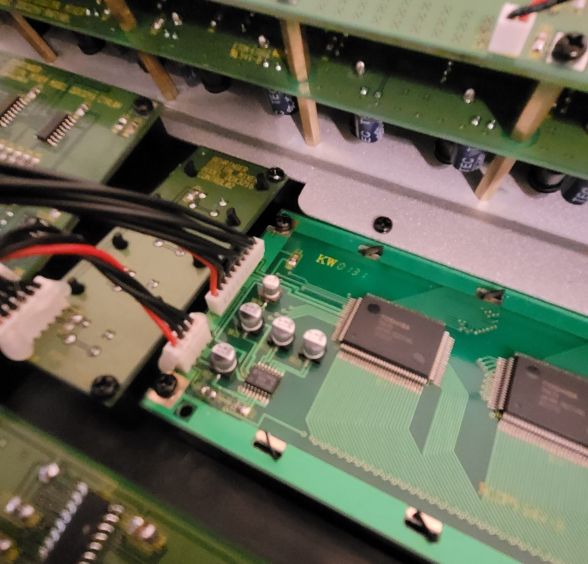
There are FIVE surface mount capacitors to be replaced for repair of the display contrast issue.
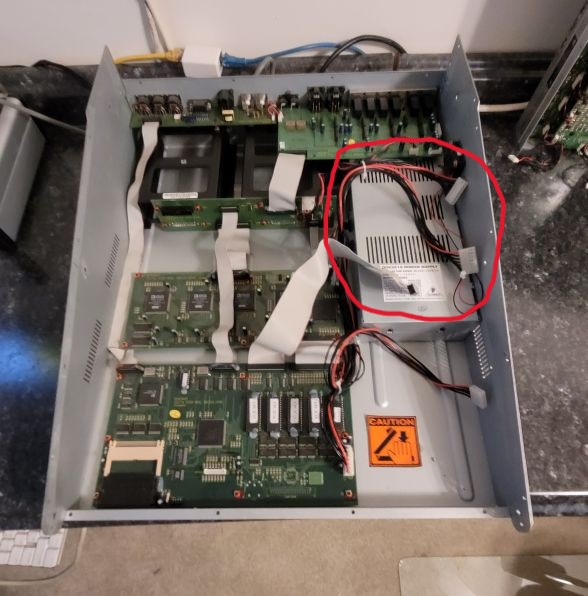
Location of display board capacitors (red circle) slated for replacementUp close view of the 5 Surface mount “10uf 25V” Electrolytic Capacitors to be replacedThe power supply (red circle) to be removed in the next step
Power Supply Troubles
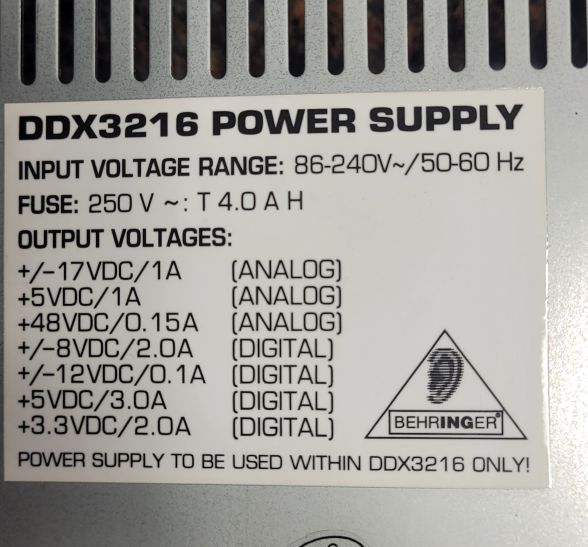
These are the output voltages we need to restore
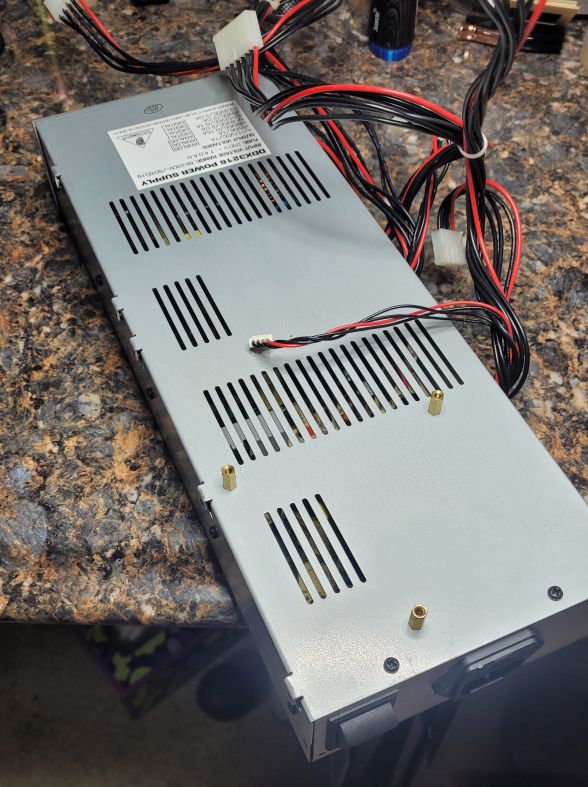
Ready to uncover and investigate
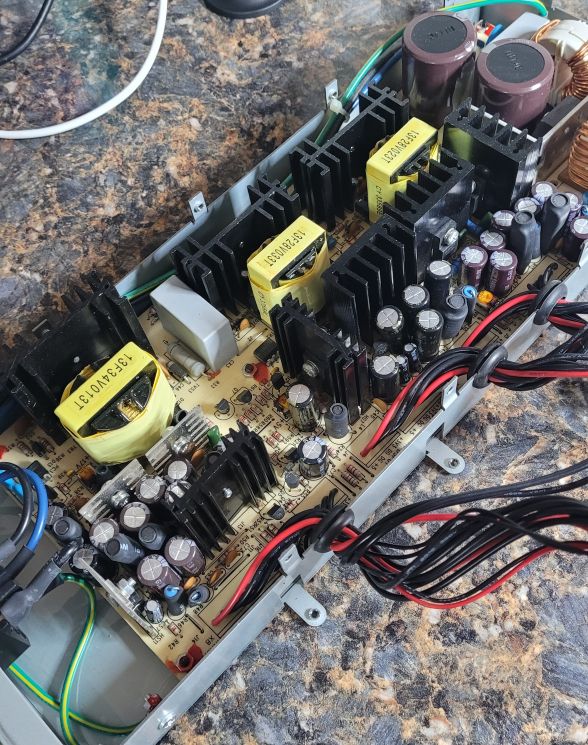
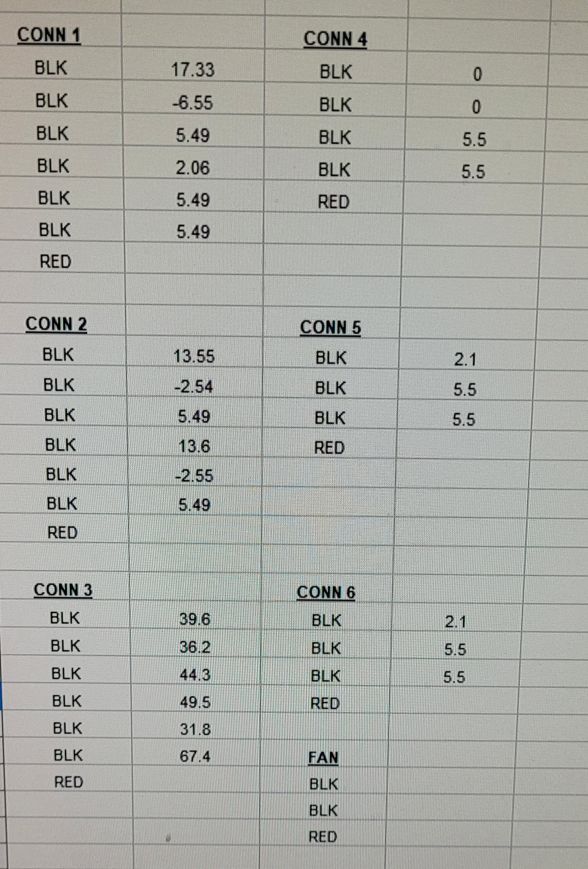
Re capping this power supply will be a challenge to say the least.The output voltage measurements indicate we definitely have supply problems.
The USRP B210 is a 2 channel software defined radio. This entry-level USRP SDR connects to the host computer via USB3 and supports fundamental wireless research, and prototyping. RF capabilities of the device include a frequency range of 70 MHz to 6 GHz and an RF bandwidth of 56 Mhz.
Coming from a background in Amateur Radio, where receive bandwidths are typically 3khz wide, seeing a received signal 20Mhz wide is somewhat mind blowing.
The Radio with 12 CPU Cores
While working on the LTE settings for the radio, I was getting “overruns” that were causing data loss and instability. The overruns with the USRP B210 were receive-buffer overruns: the B210 was delivering IQ samples faster than the DragonOS VM / GNU Radio processing chain could consistently consume them.
As I made further adjustments, the overruns got worse. After trying a few suggestions from ChatGPT I decided to throw some more processing power at the problem, and added 8 additional vCPU cores, for a total of 12 cores. The ‘shoe was immediately on the other foot’ as they say, and the processing chain had all the CPU power required to completely eliminate all overruns.
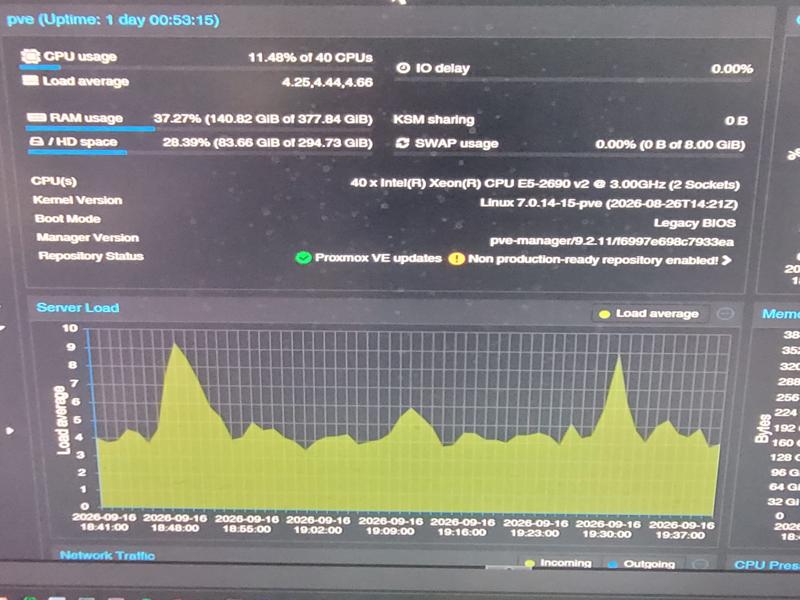
The HP Proliant ML350p Server has two XEON E5-2690 v2 CPU’s supplying a total 40 CPU cores @ 3Ghz. Under Proxmox, the CPUs are available as ‘Virtual CPUs’ and can be assigned to any of the four operating systems I have installed. I had started DragonOS with just four cores, not realizing at the time, that to fully sync to, and decode a 20Mhz wide LTE signal, it was going to require a lot more processing power than four, or even eight cores, could provide. In this case the magic number turned out to be twelve.
HackRF vs. usrp b210 Transceiver
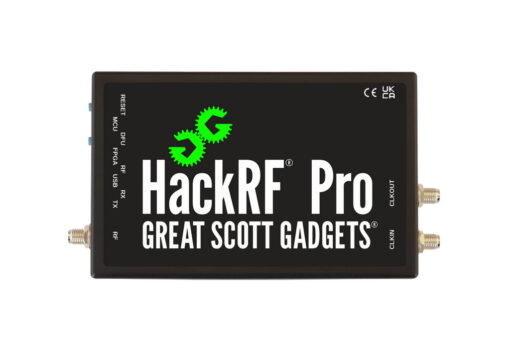
My first purchase was the HackRF Pro, and I quickly realized it would not fully support LTE research, as its bandwidth capabilities were not sufficient. I was unable to capture and sync any LTE signals using the Falcon Analyzer.
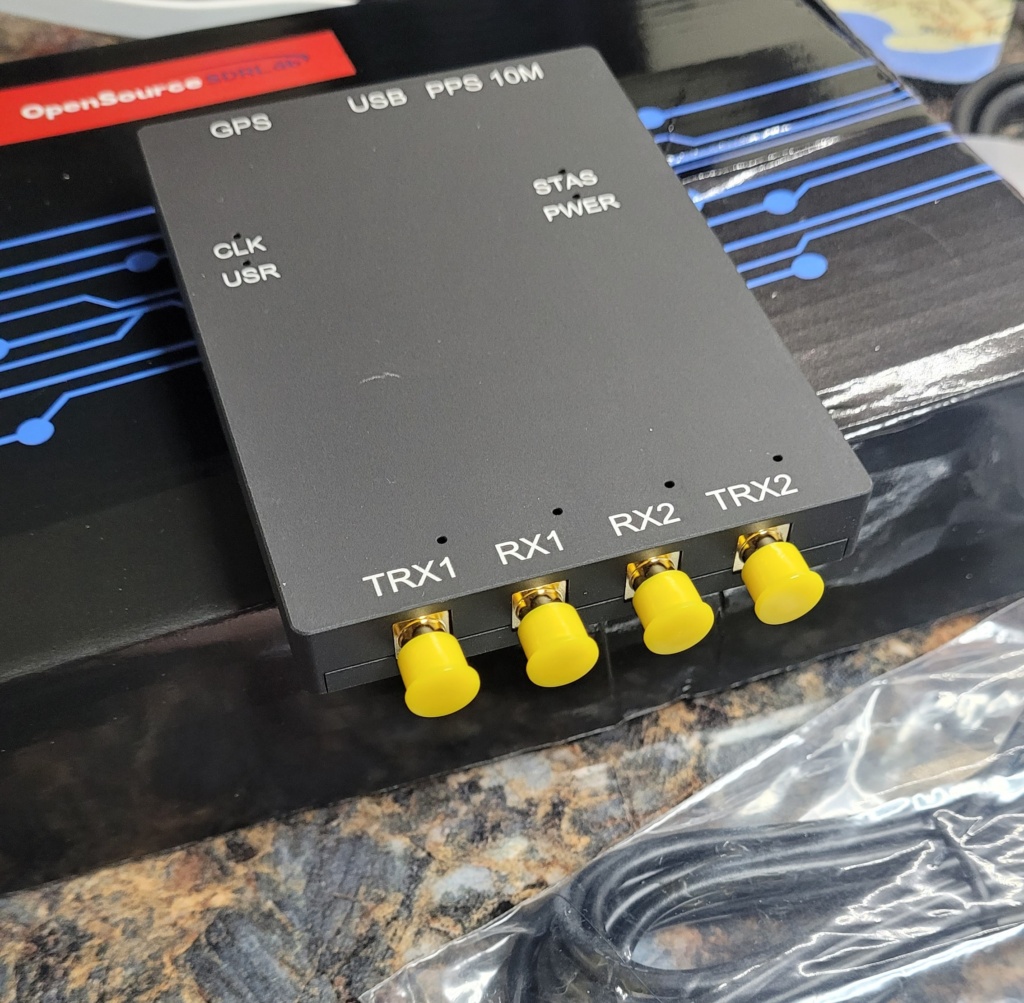
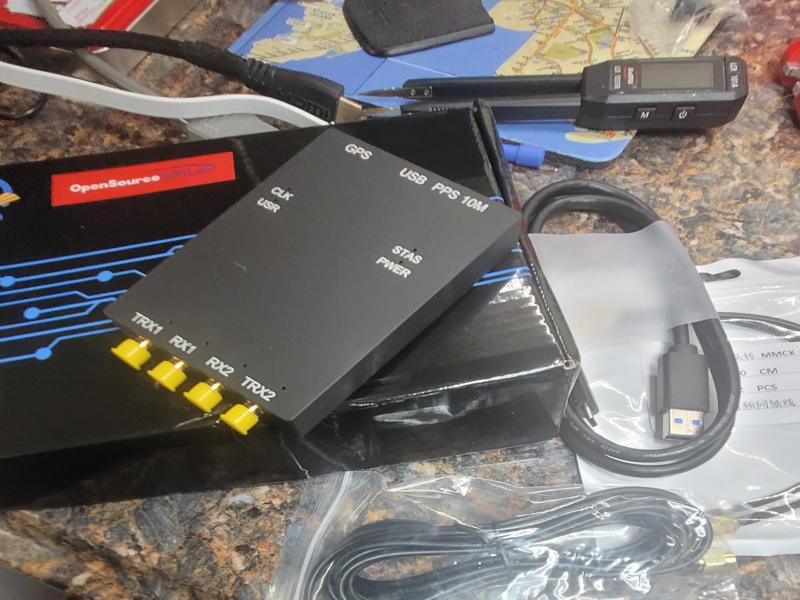
I then decided to take the plunge and PURCHASE the USRP B210. While it’s not an Ettus manufactured radio, it has all the Ettus compatibility, and utilizes a more up to date chipset in the AD9361BBCZ+XC7K325T combination.
Advanced FPGA integration Equipped with the XC7K325T FPGA, this board enables real-time signal processing and flexible reconfigurable designs for complex SDR projects.
High-performance SDR development board The USRP B210 AD9361 supports up to 56MHz bandwidth, ideal for advanced software-defined radio applications in education and research environments.
My initial attempts to establish a synchronized LTE connection were unsuccessful. I had located and tuned to a valid LTE center frequency, but Falcon was still unable to lock into the timing bits, and it appeared the software was ‘overwhelmed’ by all the data trying to read it through a USB2 connection and experiencing a huge number of dropped data blocks.
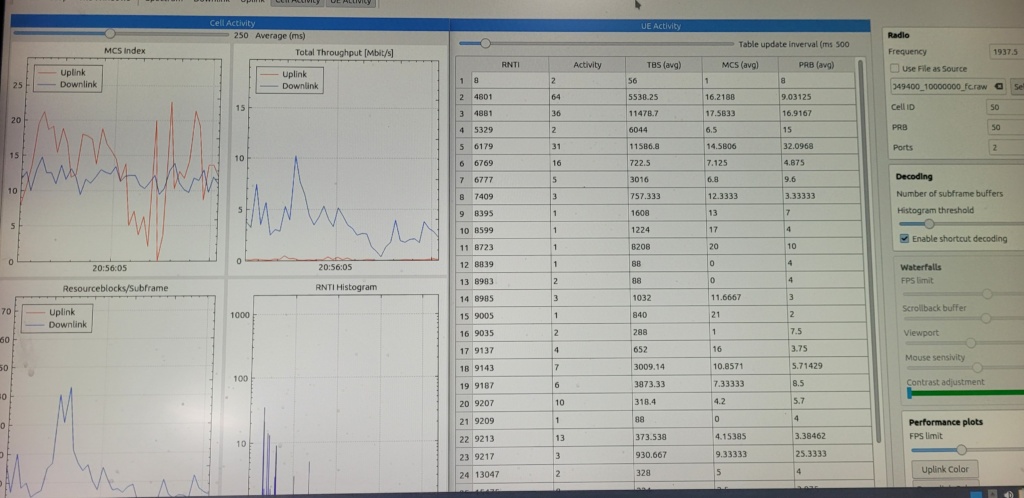
Cell Tower Signal on 1937.5 Mhz received by USRP B210 Wideband Radio. Analyzed using Falcon LTE
A USRP (Universal Software Radio Peripheral) is a flexible hardware device used as a cognitive radio or software-defined radio (SDR). It works with a computer to sense the radio frequency spectrum, learn from environment changes, and adapt its communication parameters dynamically in real time. [1, 2, 3, 4, 5]
Key Features
Frequency Range: Covers wide bands, commonly from 70 MHz up to 6 GHz or higher in newer models.
Bandwidth: Offers wide instantaneous real-time bandwidth (e.g., 56 MHz or more) for fast spectrum scanning.
FPGA Processing: Features user-programmable FPGA chips for low-latency, real-time baseband signal processing.
Software Support: Integrates with open-source tools like GNU Radio, Python, C++, and MATLAB via the USRP Hardware Driver (UHD). [1, 2, 3]
Cognitive Radio Uses
Dynamic Spectrum Access: Detects unused radio channels and switches to them to avoid interference.
Signal Intelligence: Monitors, identifies, and categorizes unknown or transient RF transmissions.
Wireless Research: Tests machine-learning algorithms for smart, self-optimizing communication networks. [1, 2, 3, 4, 5]
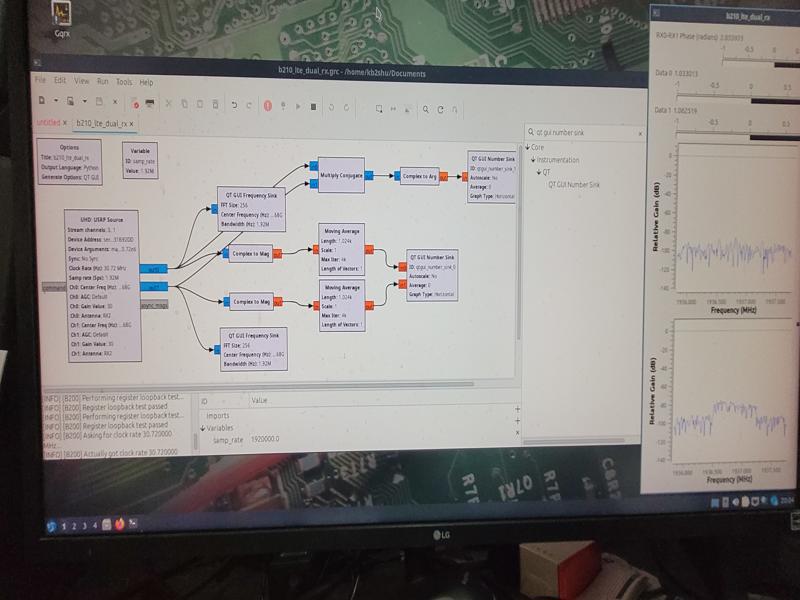
GNU-RADIO COMPANION
Assembling “Blocks” in the radio “Flow Graph” to create an Ultra Wideband LTE Transceiver.
GNU Radio is a free software development toolkit that provides signal processing blocks to implement software-defined radios and signal processing systems. It can be used with external radio frequency (RF) hardware to create software-defined radios, or without hardware in a simulation-like environment. It is widely used in hobbyist, academic, and commercial environments to support both wireless communications research and real-world radio systems.
Overview
GNU Radio plotting demodulated radio samples
The GNU Radio software provides the framework and tools to build and run software radio or just general signal-processing applications. The GNU Radio applications themselves are generally known as “flowgraphs”, which are a series of signal processing blocks connected together, thus describing a data flow.
As with all software-defined radio systems, reconfigurability is a key feature. Instead of using different radios designed for specific but disparate purposes, a single, general-purpose, radio can be used as the radio front-end, and the signal-processing software (here, GNU Radio), handles the processing specific to the radio application.
These flowgraphs can be written in either C++ or Python. The GNU Radio infrastructure is written entirely in C++, and many of the user tools (such as GNU Radio Companion) are written in Python. Flowgraphs can also be constructed in the GNU Radio Companion GUI.
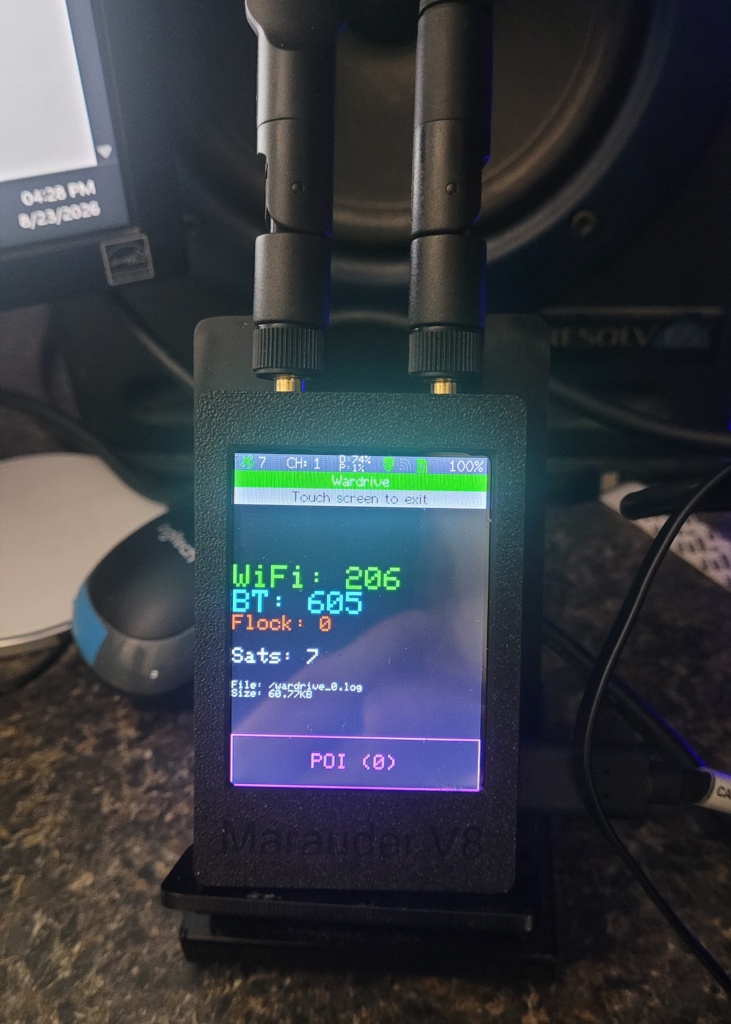
Actually, there was no driving. These results were obtained here, on my test bench, after running the scanner for approximately 30 minutes.
Nearby Devices
It was somewhat interesting to see there were 605 BLE devices within range of the Marauder v8 receiver. These signals were received using the stock antennas, nothing fancy, sitting here on the bench and scanning.
There’s quite a variety of devices, everything from the neighbors cars, to their thermostats, kitchen appliances, attic fans, robot vacuum cleaners, routers, TV sets, you name it. It’s a lot of “useless information” unless you’re a nuisance or a knucklehead, you can really do nothing more than map them, any other type of interaction with devices that you don’t own or don’t have permission to access, is illegal.
White Hats Only
These tools are legitimate testing devices intended to be used legally in a test environment, that you either own, or have permission to access. In security penetration testing, the authentication process comes under intense scrutiny for any type of vulnerability in the authentication process. Authentication takes place when a user or device “logs in” to another device via WiFi. The login credentials are transmitted between devices on publicly known WiFi frequencies that anyone with the proper radio equipment could intercept. It’s important to understand the authentication process in order to prevent any unauthorized connections.
Checksums
While most, if not all, wireless network data is encrypted for security and privacy, the encryption methods themselves are public information, as are many of the software programs used to decrypt them. Computer files of every type all have what’s known as a checksum. The checksum is used to verify the integrity of a file. Checksums are unique for all files and can indicate if a file has been altered in any way. The checksum is calculated by using the values assigned to each character in the file, and a checksum is then derived using a standardized algorithm. MD5 is a very common and widely used checksum type (algorithm) that will take the sum of all the characters in the file and produce a 32 character checksum.
An MD5 checksum is represented as a 32-character hexadecimal string, which corresponds to a fixed output size of 128 bits. No matter the size of the file being encrypted, the MD5 checksum will always be 32 characters long.
Understanding the structure of an MD5 checksum is essential.
Output Size — The MD5 hash produces a fixed output of 128 bits, which is equivalent to 32 hexadecimal characters.
Hexadecimal Representation — Each character in the MD5 checksum represents four bits, leading to the total of 32 characters for the 128-bit output.
Deterministic Nature — The same input will always yield the same MD5 checksum, ensuring consistency in data verification.
Usage — While MD5 checksums can verify data integrity, they are not secure for cryptographic purposes due to vulnerabilities.
Wireless Encryption Types
Wireless encryption types primarily include WEP, WPA, WPA2, and WPA3, each offering varying levels of security and encryption methods. WEP is outdated and insecure, while WPA2 is widely used, and WPA3 provides enhanced security features for modern networks.
Overview of Wireless Encryption Types
Understanding the different wireless encryption types is crucial for network security.
WEP — Wired Equivalent Privacy is the oldest standard, now considered insecure due to vulnerabilities that allow easy cracking.
WPA — Wi-Fi Protected Access improved upon WEP by introducing TKIP encryption, but it is still less secure than newer standards.
WPA2 — This standard uses AES encryption, providing a significant security upgrade and is commonly used today.
WPA3 — The latest standard, WPA3, offers stronger encryption and better protection against brute-force attacks, making it ideal for modern networks.
Given what we know…
Frequency the data is transmitted on
Encryption Type used
Owner of the data (Personal Login)
Credentials Handshake
Encrypted Password
It is not very difficult to put these bits of the puzzle together to reveal the user name and password used to gain access to these networks and devices. The key part is what’s referred to as the “handshake”. This is where the login credentials are exchanged to authenticate the connection. This takes place when the connection is first established. You might say, that’s all well and good if you just happen to be listening on the right frequency, at the right time (split second) the authentication handshake takes place. Who’s got the time or patience to monitor a connection for a handshake that takes place in a split second? “That’s nearly impossible” one might think. People stay logged in automatically these days. The odds of catching an authentication handshake must be astronomical. They are….but…
De-Authorization: At the time and place of our choosing…
Test equipment like the Marauder v8 have a function called DeAuth, which essentially sends a broadcast message telling all devices that receive the command (and support it), to de-authenticate all currently connected device logins. That’s right boys and girls, we can force all these nearby devices to be disconnected with the press of a button. No big deal to the user, because his device will log him back in automatically. Right? …yes, but this time, we are ready to capture and analyze the handshake. Actually, all the handshakes of all the devices that we just disconnected. That means every device that was connected on the WiFi channel where we issued the DeAuth command will now need to reauthenticate. Yes, it’s very sneaky, and it’s very illegal. Don’t do it. Don’t ask me how, I won’t tell you anyway, unless you’re wearing the same color hat I am…
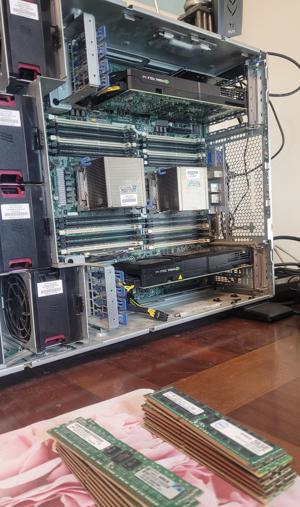
I found a great deal on eBay for some 16GB HP memory modules [DIMMs}, the price was right, (ONLY $8.00 EACH) so I purchased 20 DIMMs to replace all the existing 4GB and 8GB modules. This would take me from 160GB to 384GB of total installed RAM.
The HP 647653-081 is a 16GB DDR3L DIMM that typically costs between $20 and $77 depending on new, used, or third-party compatible options.
Key Specifications
Capacity: 16GB (1x16GB)
Speed: 1333MHz (PC3L-10600R)
Type: DDR3L Low Voltage (1.35V, backward compatible to 1.5V)
Error Correction: ECC Registered (RDIMM)
Rank & Organization: Dual Rank (2Rx4)
Form Factor: 240-Pin DIMM
Comfortable: 192GB DDR3 per CPU
Ready for replacement, all 4GB and 8GB DIMMs are pulled
All the VM’s Get an Upgrade!
With all this additional RAM, I can afford to increase the memory in each of my four VM’s. Windows 11, Ubuntu 24.04, KALI Linux, and DragonOS will all be assigned 64GB of RAM.
We’ve cloned the subject device and created a forensically sound image of the (in this case) computer hard drive. Now that we have acquired all this data it needs to be processed, analyzed, and organized into a report that enables those concerned to review all the evidence in a quick and concise manner.
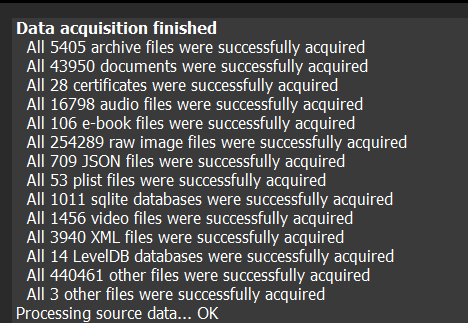
Error Free Data Acquisition
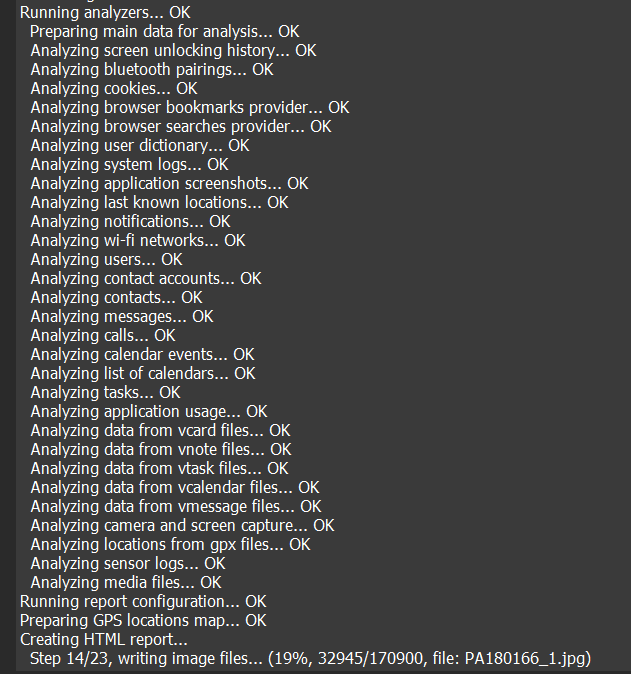
Full Analysis and Correlation
Processing 170,900 images
Bringing it All Together
Bringing all this data together to form a complete and authoritative representation of facts in the case is no easy task. It requires a keen eye for detail as to the time, date, and location of the artifacts under review.
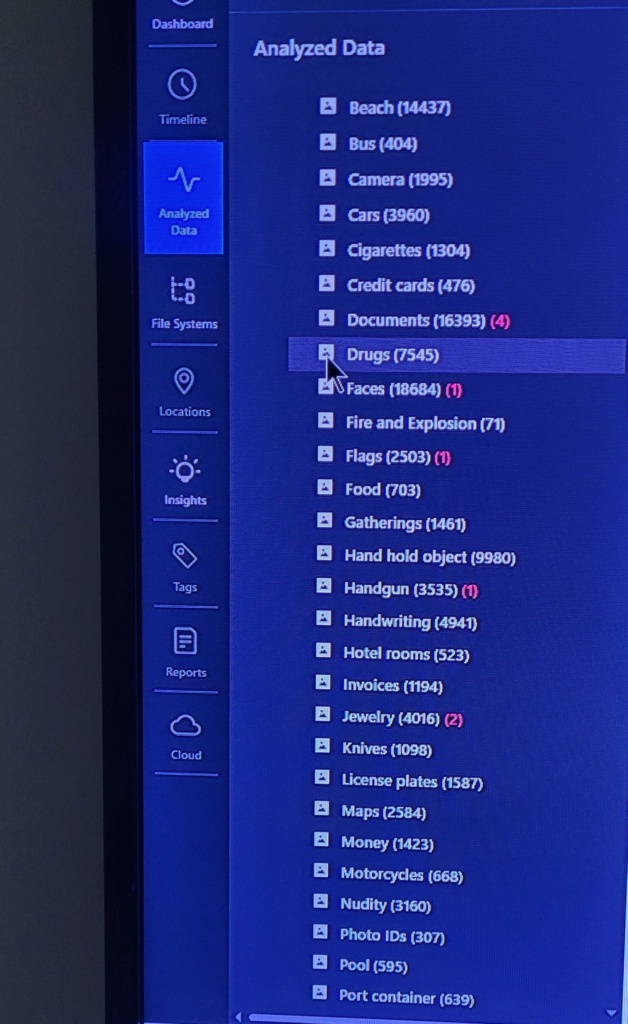
AI Image Categorization results
Here we see the results of a forensic scan for the categorization of photographs and other media types found on the device. Something tells me this is going to be a challenging case to assemble all the facts into an intuitive, well organized report.
echo “=== Enclosure slot status ===” sg_ses –page=es /dev/sg6
1. Enclosure Diagnostic Results
Component
Result
Assessment
SAS enclosure
XYRATEX HB-2435-E6EBD
Detected
Firmware
409b
Reported
Drive bays
24
All report Not installed
SAS expanders
2
Both OK
Enclosure controllers
2
Both OK
Power supplies
2 installed
Both OK
Cooling fans
4 operating
All OK
Temperature sensors
8 active
24–27°C
SAS connectors
6 reported
All OK
Voltage sensors
4 active
All OK
Overall enclosure status
Noncritical warning
Investigate
2. Cooling and Power Look Good
Temperature range: 24–27°C No thermal warnings.
Fan speeds 4,150–4,600 RPM, four active fans (surprisingly quiet)
Both installed power supplies report OK. The reported 5V and 12V rails are well within normal ranges.
Interposer Circuit Boards for Drive Carriers
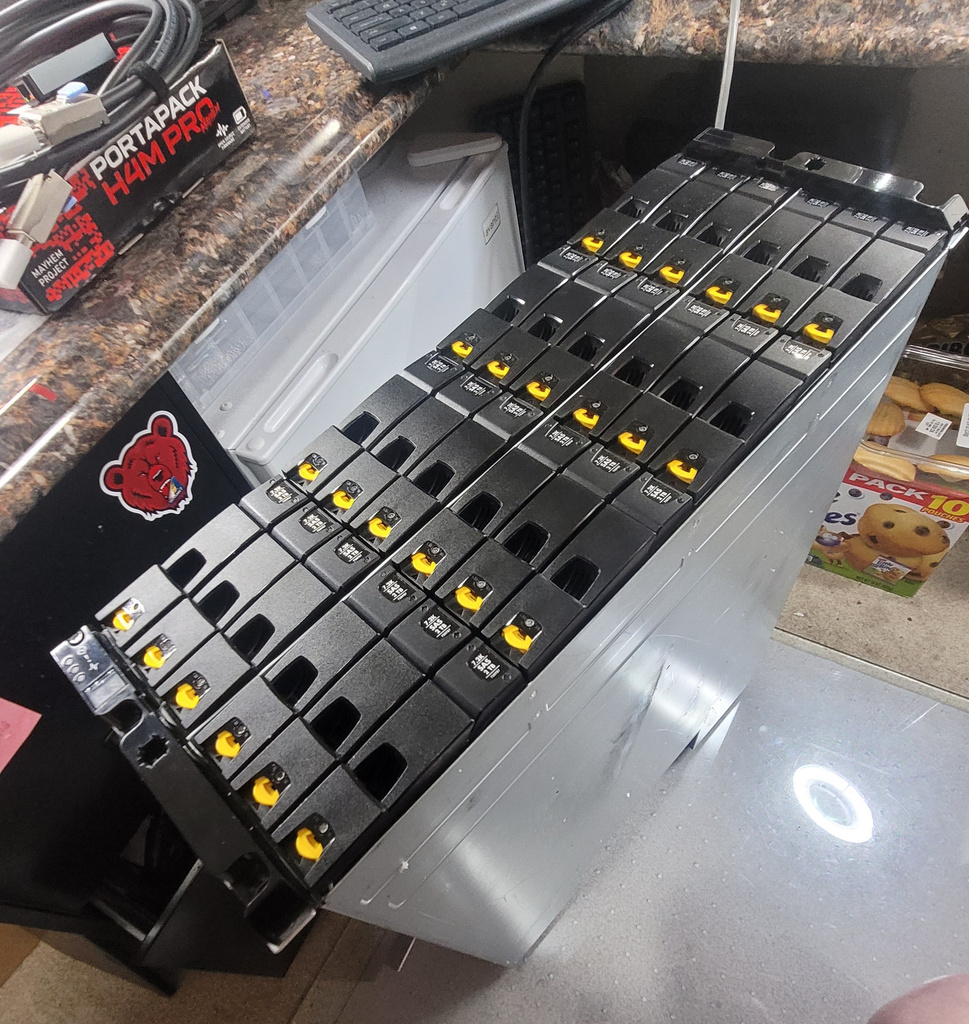
The first M6720 was purchased without disk drives. All 24 HDD carriers require an ‘interposer’ board in order to connect the SATA drives to the M6720’s HDD backplane. I’m currently researching this component. The second M6720, purchased with the hard drives included, will arrive tomorrow (due to a Delivery Exception at FedEx) at which time I’ll inspect its interposer boards for compatibility with my existing stockpile of ‘consumer market’ SATA drives. It’s basically an adapter board allowing the SATA and SAS connectors to mate and provide dual SAS channels.
Confirmed device assignments
Device
Identification
/dev/sg6
XYRATEX HB-2435-E6EBD — external SAS enclosure
/dev/sg3
HP P420i controller
/dev/sdc
P420i logical volume
/dev/sda, /dev/sdb
Samsung 860 SSDs
/dev/sdd
Seagate external drive
Your M6720 connection is operational at the SAS expander and enclosure-management level.
Everything Checks out OK
I was a bit concerned at first by the very low price this unit was offered for. The majority of listings I saw were in the $1000 range while this unit was only $200. The unit arriving tomorrow has a quantity of twenty three 2TB hard drives installed and was only $400. All things considered, if the second unit is in working condition (as advertised) I think I found a couple of great deals, each at a fraction of the cost of most other listings.
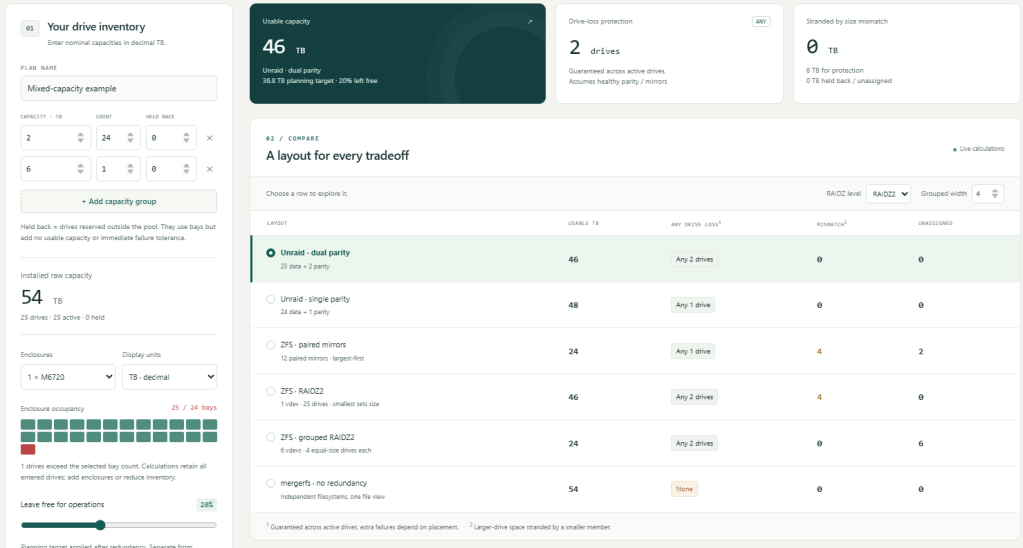
Over the years I have accumulated dozens of SATA desktop hard drives. A substantial number of drives doing nothing but collecting dust. Searching for a way to put them to good use, I came across a variety of storage array types supporting RAID, SAS/SCSI, and JBOD. Once I read the specs showing that the array would accept SATA hard drives of mixed sizes and brands, I decided to purchase a couple of them and pool all these hard drive capacities together into one massive storage server. I estimate over 100TB of storage to be available.
Initial Planner
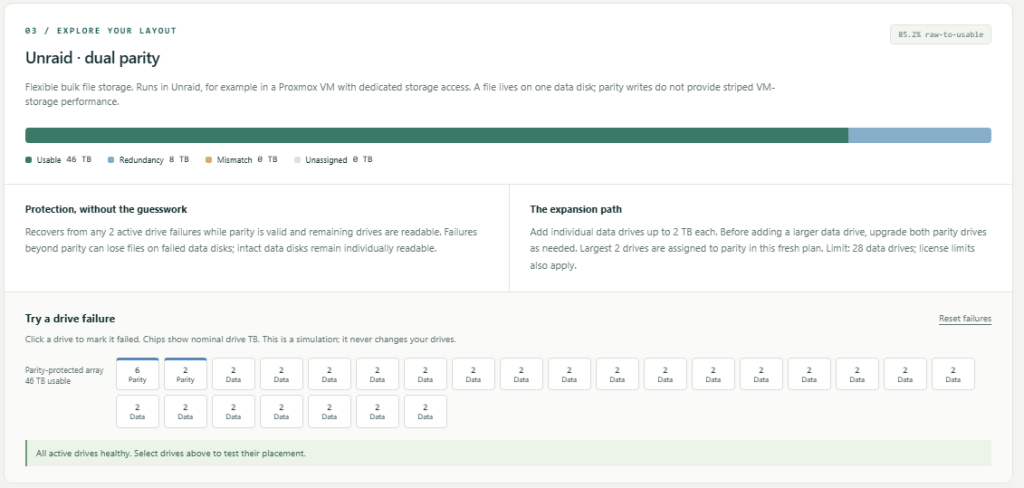
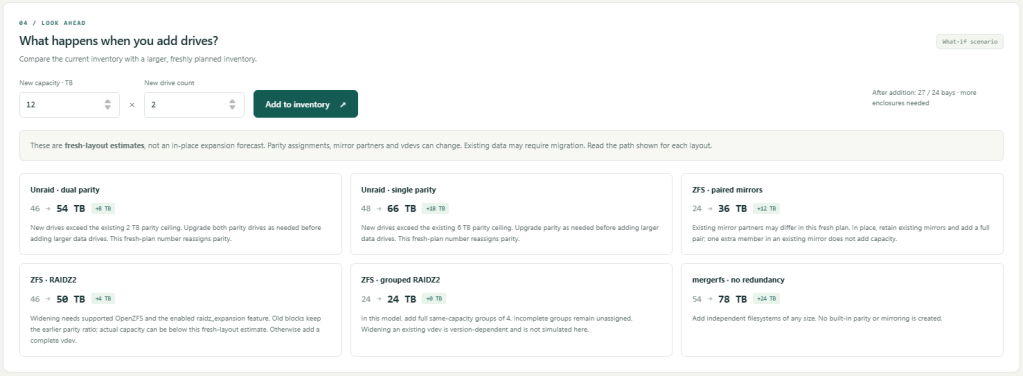
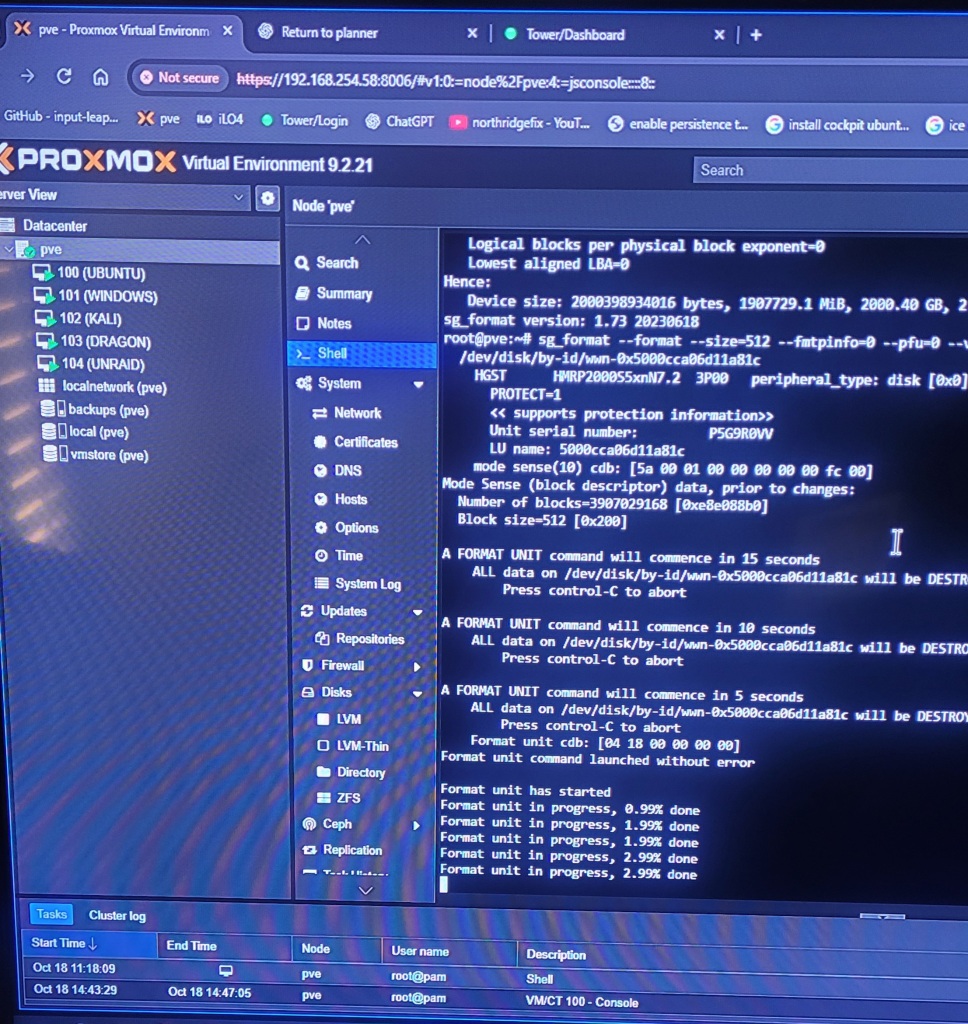
Research has brought me to Unraid Dual Parity as the best fit for my storage plan. Of the initial 23 hard drives that were included with the m6720 enclosure, only 21 of them passed candidate testing. So the array will start out with two parity drives and 19 data drives. More SAS drives are on order, and we’ll see what the eBay seller I bought them from has to say about the two that failed.
This is the leading layout at the moment ‘Dual Parity’